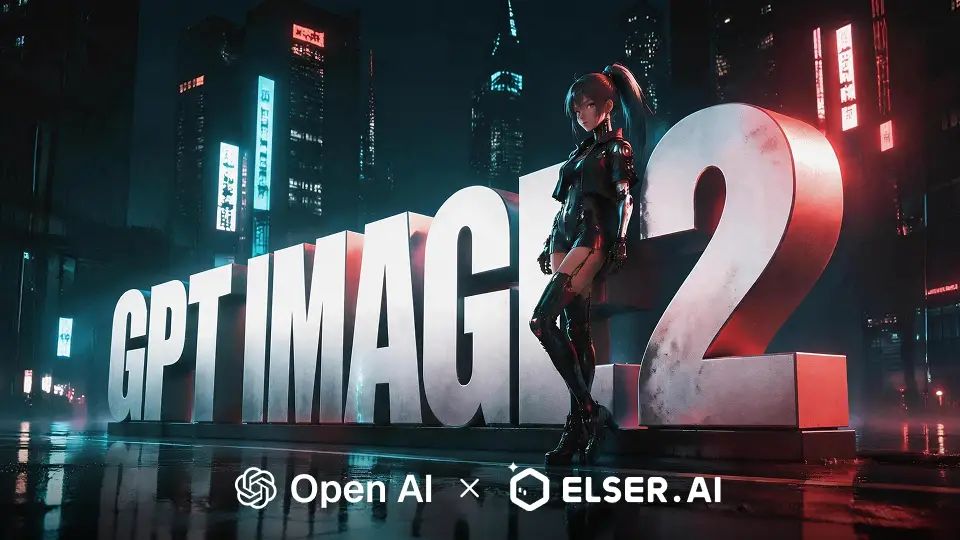
Twelve copy-paste cyberpunk anime prompt patterns, each with a specific use case — from Inazuma Hu Tao reinterpretation to Honkai dystopia to original cyberpunk OCs. Bring your character, swap the slots, hit render.
Cyberpunk is the single most-prompted aesthetic on the platform. It's also the one most people get wrong on the first try — too much neon and the piece looks like a Vaporwave sticker; too little and it loses the genre. This library catalogues 12 prompt patterns that consistently produce on-genre cyberpunk anime art, organised by the kind of piece you're trying to ship. If you're new to picking presets in the first place, start with our style preset cheat sheet.
Each pattern has the slot structure spelled out. Drop in your subject and scene, keep the style line as-is. The patterns were validated by running each at least a dozen times across Genshin Impact Inazuma characters, Zenless Zone Zero agents, and original OCs in the elserip studio — they generalise to any IP, but those three are where the testing volume sat.
01 · The Default Cyberpunk Shot
Start here when you're not sure. This pattern reliably produces a recognisable cyberpunk anime piece in one render.
prompt01[SUBJECT] <character>, signature outfit + chrome / leather variant02[SCENE] rain-slick neon street, dusk, holographic billboards03[STYLE] Cyberpunk preset · soft rim light · 2:3Why it works: every cue here is doing real work. `rain-slick` adds reflectivity (which is what makes neon look right). `dusk` gives the model a defensible dark-but-not-black palette. `holographic billboards` populates the background without you having to specify content.
02 · Neon Noir (Quieter, Moodier)
When the Cyberpunk preset is too saturated. Neon Noir is the shy cousin — same genre, lower volume.
prompt01[SUBJECT] <character>, monochrome outfit, single accent colour02[SCENE] neon alley, drifting smoke, single light source03[STYLE] Neon Noir preset · hard shadow · 9:1603 · The High-Action Render
When you want motion. Useful for Jujutsu Kaisen and shōnen IPs where action is the point.
prompt01[SUBJECT] <character>, mid-action pose, weapon drawn02[SCENE] neon explosion behind, motion blur, low angle03[STYLE] Cyberpunk preset + Action Comic · 16:904 · The Cinematic Wide
When the city is the co-star. Use this for hero-shot landscapes where the character is small but anchored.
prompt01[SUBJECT] <character>, distant figure, silhouette against light02[SCENE] rooftop overlooking neon megacity, fog, vertical billboards03[STYLE] Cinema Toon preset · cinematic grade · 16:905 · The Inazuma Reinterpretation
Specifically tested for Genshin Impact Inazuma characters (Raiden Shogun, Yae Miko, Kazuha). The trick: keep the silk / electro-purple palette and let cyberpunk add the neon, don't overwrite the existing aesthetic.
prompt01[SUBJECT] <inazuma character>, kimono with chrome trim02[SCENE] neon Tokyo backstreet, paper lanterns + holograms, rain03[STYLE] 3D Cute Toon preset · neon palette · 9:1606 · The ZZZ-Native Cyber
Zenless Zone Zero characters are already cyberpunk-coded; the goal is to lean further in, not introduce the genre. Push the Hollow aesthetic past where the game's marketing renders it.
prompt01[SUBJECT] <ZZZ agent>, faction insignia visible02[SCENE] Hollow interior, glitching architecture, ether-leak particles03[STYLE] 3D Cute Toon preset + Glitch Pop · 2:307 · The OC Cyber Build
For original characters. The challenge with cyberpunk OCs is they all start to look the same — leather, chrome, asymmetric haircut. Differentiation is in the scene, not the costume.
prompt01[SUBJECT] oc — <hair colour> + <signature accessory>02[SCENE] <specific district> at <specific time>, <doing something>03[STYLE] Neon Noir preset · soft rim light · 2:3Notice the scene specifications are concrete: not `cyberpunk city, night`, but `Akihabara back alley at 3am, eating ramen`. The model handles concrete scenes 5x better than abstract ones.
08 · The Sticker / Print Variant
When the output is a physical merch piece. Bring contrast up, kill detail, embrace silhouette.
prompt01[SUBJECT] <character>, three-quarter portrait, expressive pose02[SCENE] flat neon background, single colour gradient03[STYLE] Poster Print preset · two-tone palette · 1:109 · The Glitch-Heavy
Lean into RGB-split, scanlines, intentional artefacts. Useful when the cyberpunk should feel "wrong" rather than aspirational.
prompt01[SUBJECT] <character>, glitched outfit fragments02[SCENE] corrupted neon environment, RGB split, scanlines03[STYLE] Glitch Pop preset · CRT artefacts on · 9:1610 · The Y2K-Cyber Hybrid
When you want neo-Tokyo 2000s aesthetic over near-future cyberpunk. Magenta-heavy, chrome-on-everything.
prompt01[SUBJECT] <character>, chrome accessories, cropped tech-wear02[SCENE] Y2K club, magenta + cyan + chrome, mirror floors03[STYLE] Glitch Pop preset · Y2K palette · 4:511 · The Backlit Hero Shot
For pinup / desktop wallpaper-tier pieces. The character is the focus; everything else exists to push light onto them.
prompt01[SUBJECT] <character>, hero pose, looking at camera02[SCENE] behind: massive neon sign, character backlit03[STYLE] Ultra Fantasy CG preset · rim light + bloom · 9:1612 · The Quiet Cyber
Cyberpunk doesn't have to be loud. Sometimes the genre lands harder when it whispers.
prompt01[SUBJECT] <character>, casual outfit, eating / reading / waiting02[SCENE] 24-hour convenience store at 2am, lone figure, fluorescent03[STYLE] Cinema Toon preset · soft palette · 16:9Often the strongest cyberpunk pieces aren't the ones with the most neon. They're the ones that show a recognisable human moment inside a cyberpunk shell. To take any of these patterns into a short animated clip, drop the still into HappyHorse on the elserip animator — neon + rain + character motion is one of the genres HappyHorse handles best.
FAQ
What's the difference between the Cyberpunk preset and Neon Noir preset?
Can I use these prompts with any IP?
Why does my cyberpunk piece look like 80s Vaporwave instead of 2077-cyberpunk?
What aspect ratio works best for cyberpunk anime art?
Should I use multiple presets at once?
TL;DR
Twelve cyberpunk prompt patterns covering every common use case: default city shots, Neon Noir cinematic, high-action, wide cinematic, Inazuma reinterpretation, ZZZ-native cyber, OC builds, sticker / print, glitch-heavy, Y2K hybrid, backlit hero shot, and quiet cyber. Each is a fill-in scaffold — drop in your subject and scene, keep the style line. Cyberpunk preset for arcade-coded; Neon Noir for cinema-coded; never use the Cyberpunk preset on Inazuma — use 3D Cute Toon with neon scene cues instead.
The strongest cyberpunk piece isn't the one with the most neon. It's the one that shows a human moment inside a cyberpunk shell.— elserip editorial